Size chart
Sizing Guide: How to Find Your Perfect Biblical Sandals Fit
To ensure maximum comfort, it is crucial to measure your foot exactly according to these instructions. With our sandals, your size is determined not just by your foot length, but also by your preferred fit style: Snug or Standard.
How to Measure Your Foot:
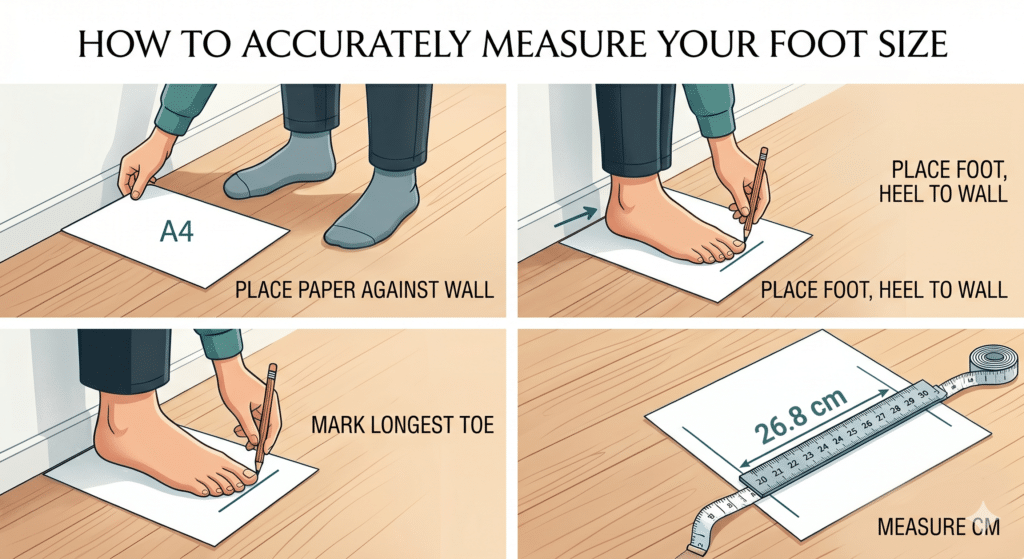
Prepare Tools: Gather a blank piece of paper, a pencil, and a ruler or measuring tape.
Against the Wall: Place the piece of paper on the floor, flat against a straight wall.
Position Your Foot: Stand barefoot with one foot on the paper, placing your heel firmly against the wall (similar to the measurement pose in the infographic). Ensure your full body weight is on the foot being measured.
Mark the Length: Using the pencil, draw a straight line on the paper directly in front of your longest toe (this is not always the big toe!).
Measure the Distance: Use the ruler to measure the distance from the wall (the bottom edge of the paper) to the line you drew. This is your foot length. It is recommended to measure both feet and use the measurement of the longer foot.
The Difference Between Fit Styles:
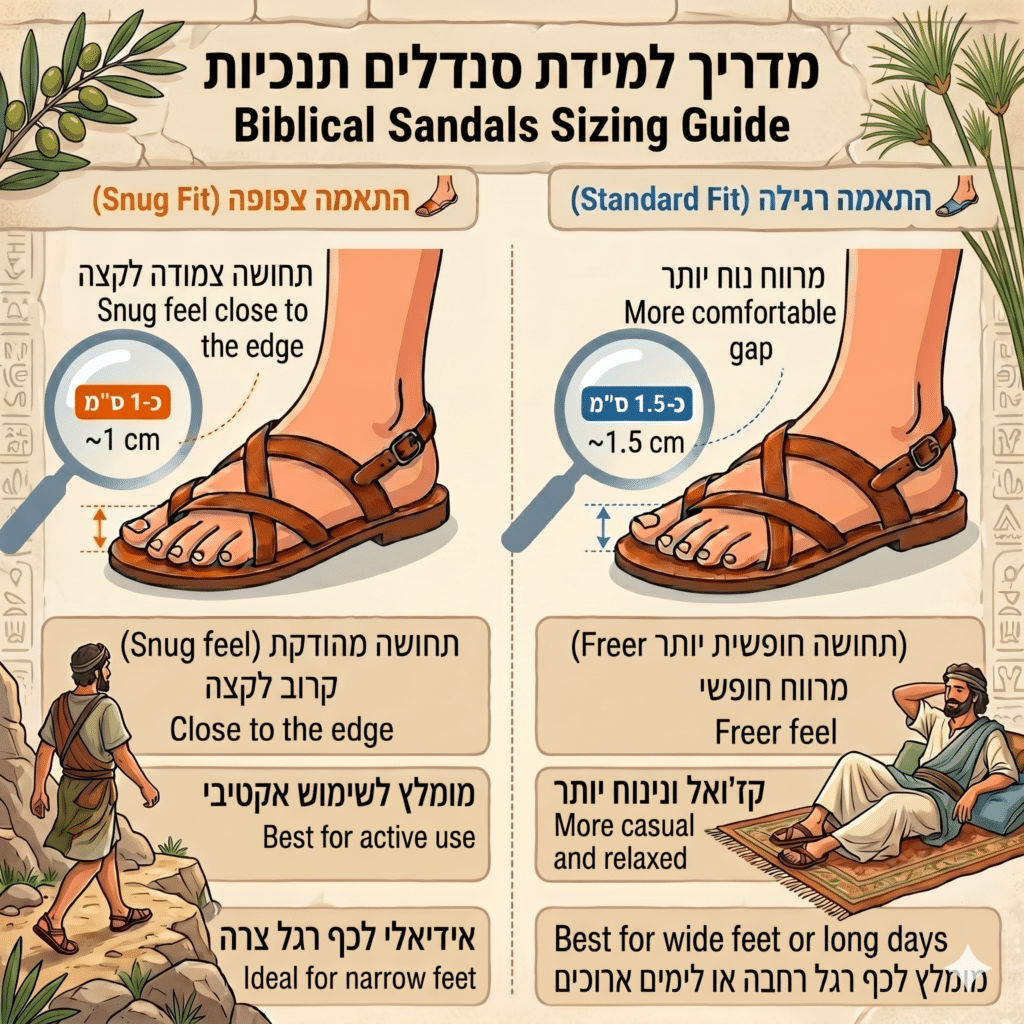
Now that you have your foot length in cm, you must decide which fit style is more comfortable for you:
Snug Fit: This fit is for those who prefer the sandal sole to “end” very close to the tip of the toe (a gap of about 1 cm). This style provides a secure, locked-in feel, and is ideal for a narrow foot. (Shown on the left side of the infographic).
Standard Fit: This fit is for those who prefer a relaxed, more open gap between the toe and the edge of the sole (a gap of about 1.5 cm). This gap provides more room and less of a close-to-the-edge feeling, and is ideal for a wide foot or long days. (Shown on the right side of the infographic).
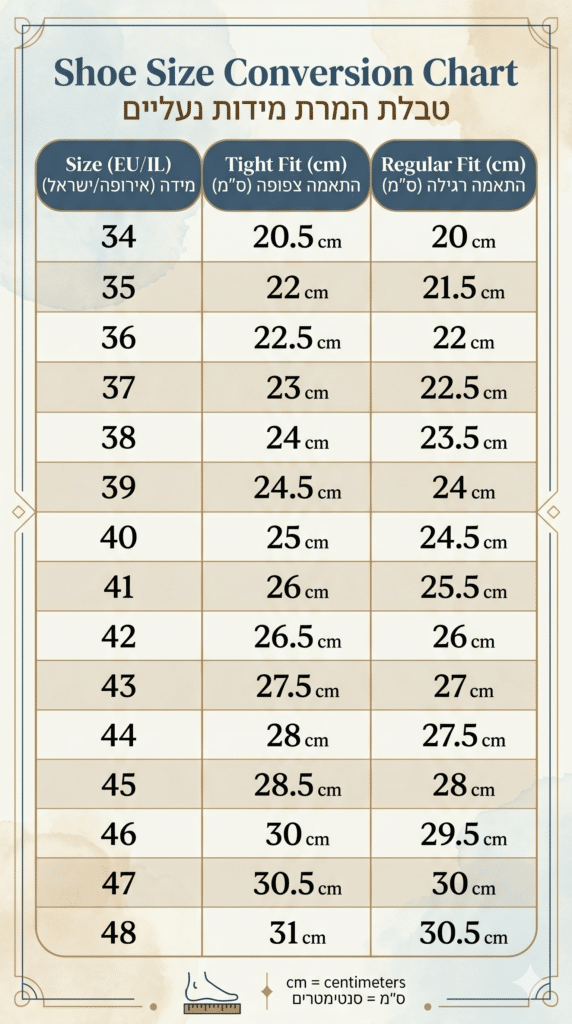
Final Step – Check the Size Chart:
Go to our size chart. Find the size that corresponds to your measurement and your preferred style (Snug or Standard).